Godot multi-project setup with C#
Clean architecture in Godot C# and how to properly structure your project
Godot has excellent C# support, but I haven’t found any useful resources on how to use multiple projects within Godot. So this is the topic I am trying to cover in this article.
There was a bit of pain on how to properly setup everything, but overall it worked out great.
Why use separate projects in godot?
Well, the main idea is separation of concerns of your application. You can create code that is truly self sufficient.
If you have a lot of applications you can of create libraries with common game logic, and share it between them.
If you want to dive deep into this topic and learn more about it, here are some useful links:
For me the most important part is modularization, which means I can clearly separate logic.
It is also quite useful if you are creating a game with some sort of server backend. For example you are creating clash of clans like game and you need to validate user attack against a village. To do that you can move the whole village attack simulation into some sort of library and use it with .NET backend to validate and replay player moves.
How to setup Godot project for multiple C# projects?
I propose one of the following approaches to structuring your project:
|- src
|-- your_godot_project
|-- some_other_project
|- tests
|-- your_godot_project_tests
|-- some_other_project_test
|- your_project.sln
Or putting sln inside your Godot project:
|- src
|-- your_godot_project
|--- your_project.sln
|-- some_other_project
|- tests
|-- your_godot_project_tests
|-- some_other_project_test
In my experience, these approaches work very well. So, feel free to use one of them. This structure also follows best practices from the C# community, as it's quite similar to the project structure used in clean architecture. You can also extend it and add some helpful documentation, scripts, or anything else you find useful. Here's your hypothetical project:
|- docs # here you can put some sort of documentation
|-- getting-started.md # some example md file
|- src
|-- your_godot_project
|-- some_other_project
|- tests
|-- your_godot_project_tests
|-- some_other_project_test
|- your_project.sln
|- README.md # your readme file with documentation
|- ci-cd.yaml # if you have ci cd pipelines you can place them here
How to properly create multi-project structure in Godot?
It is quite easy, let’s say you are creating a new game called SpaceInvaders.
1. Create folder called SpaceInvaders, it will be our root folder
2. Inside that folder, create 2 folders src and tests
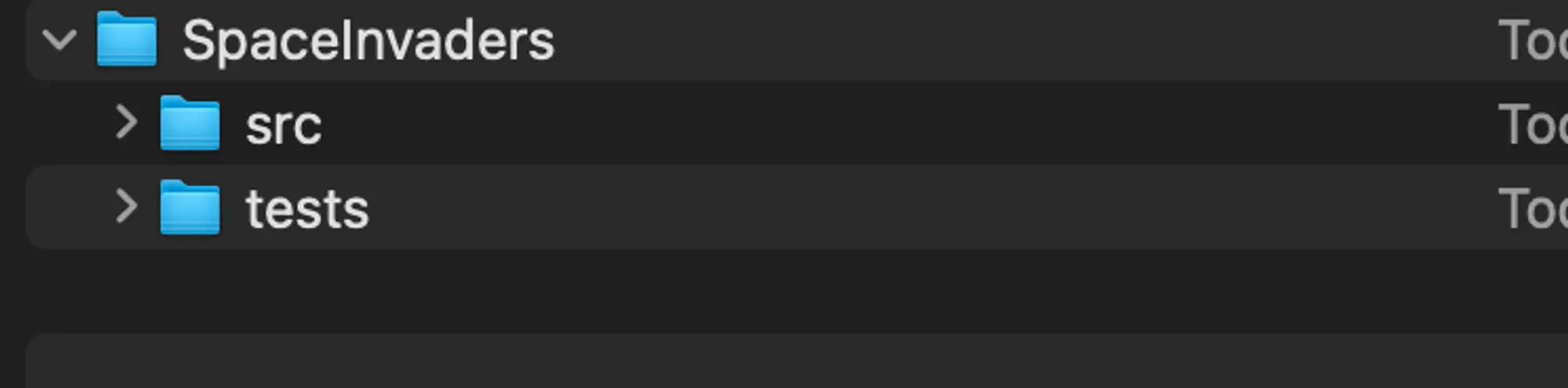 Result structure in finder
3. Inside src create a folder named SpaceInvaders or you can name it something like Game or Application , then inside it initialize your Godot project without git. You will have to initialize git in your root folder
 Creating Godot project without git inside src
4. Create HelloWorldNode.cs script inside Godot project to create a .sln and initialize our Godot project.
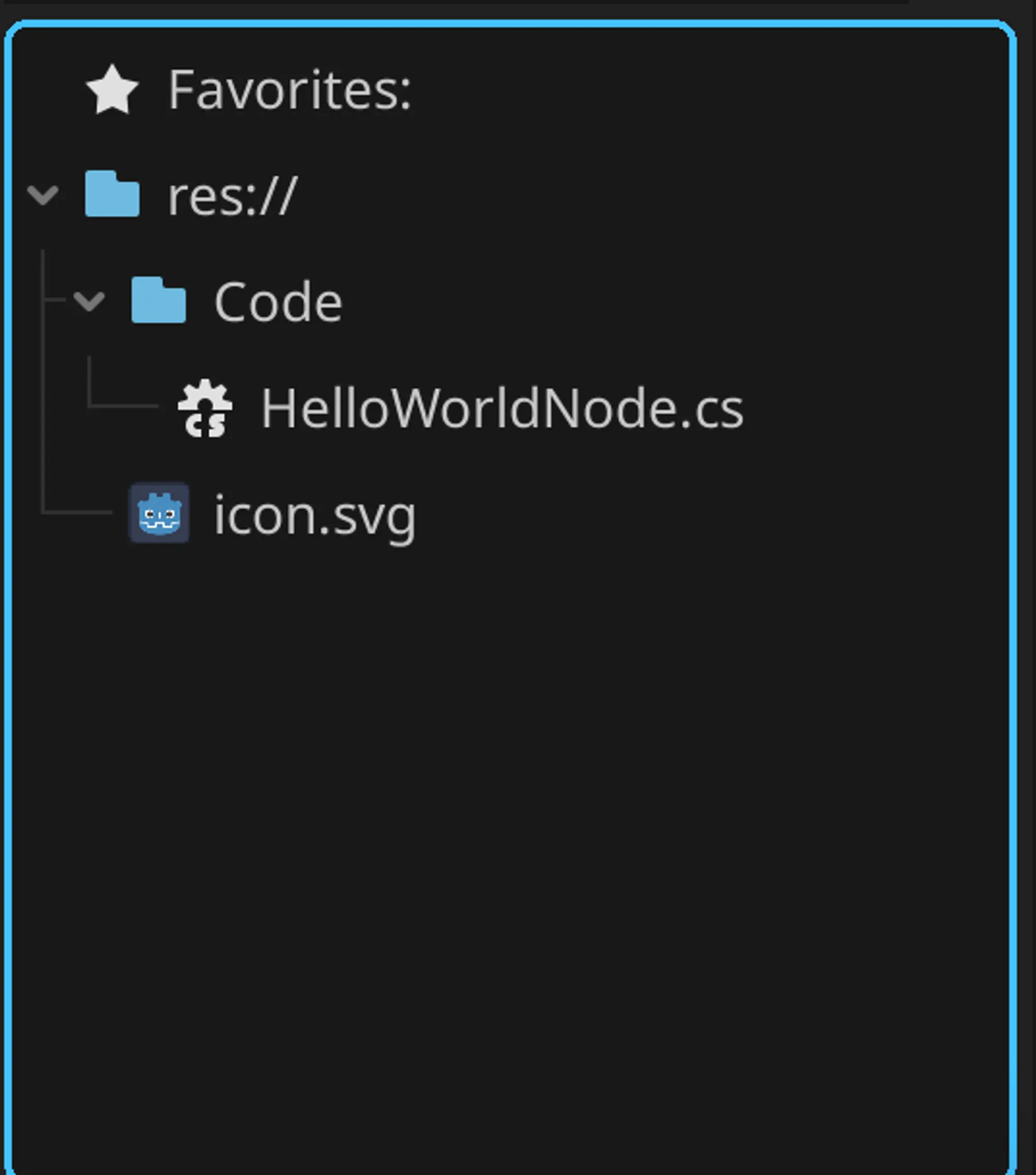 Godot project with HelloWorldNode
If you open the script with your IDE you should see something like that:
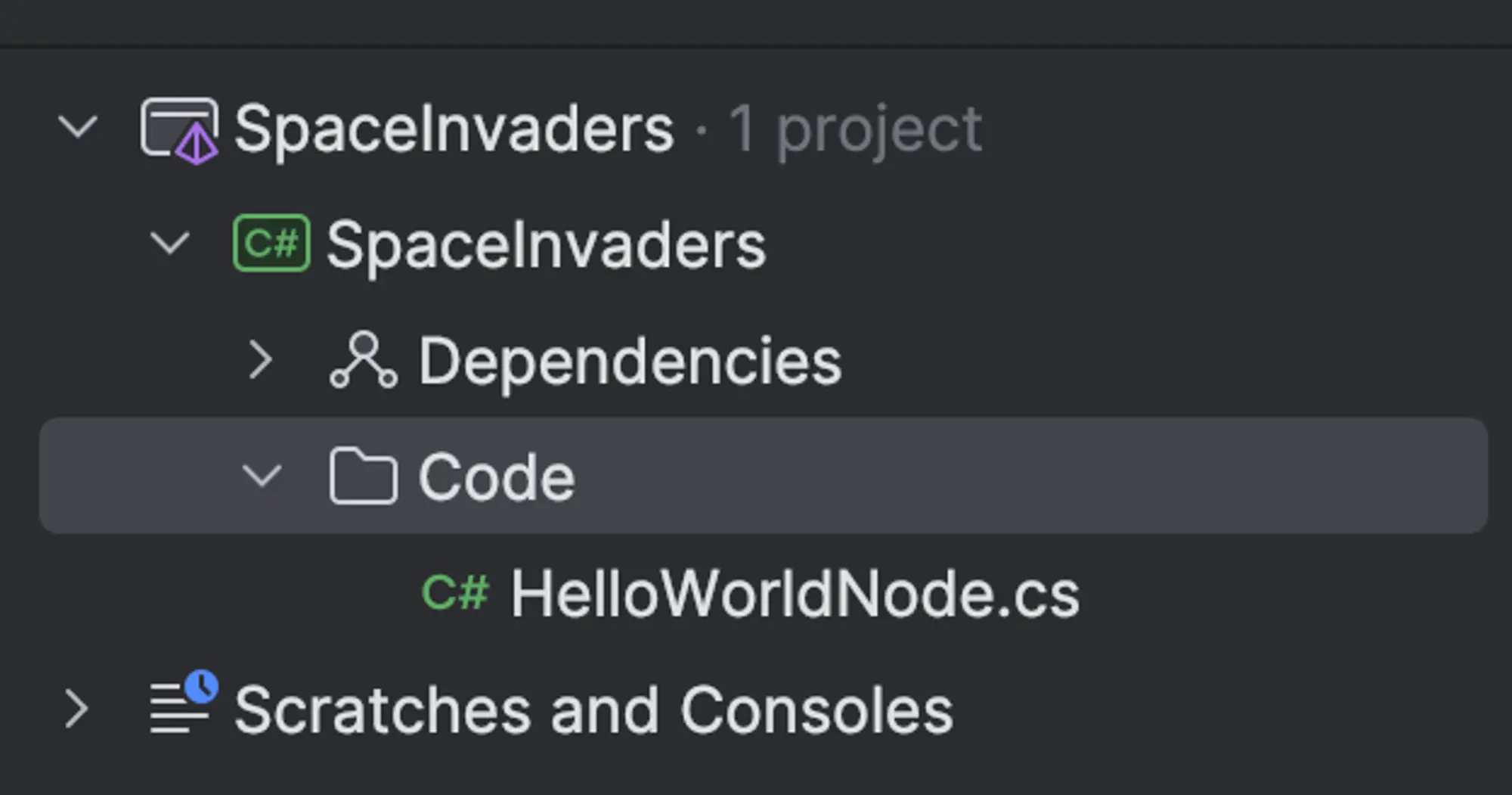 Result structure in IDE
I use Rider from Jetbrains so it might look different on your end if you use something else
4. I recommend creating solution folder for src and tests
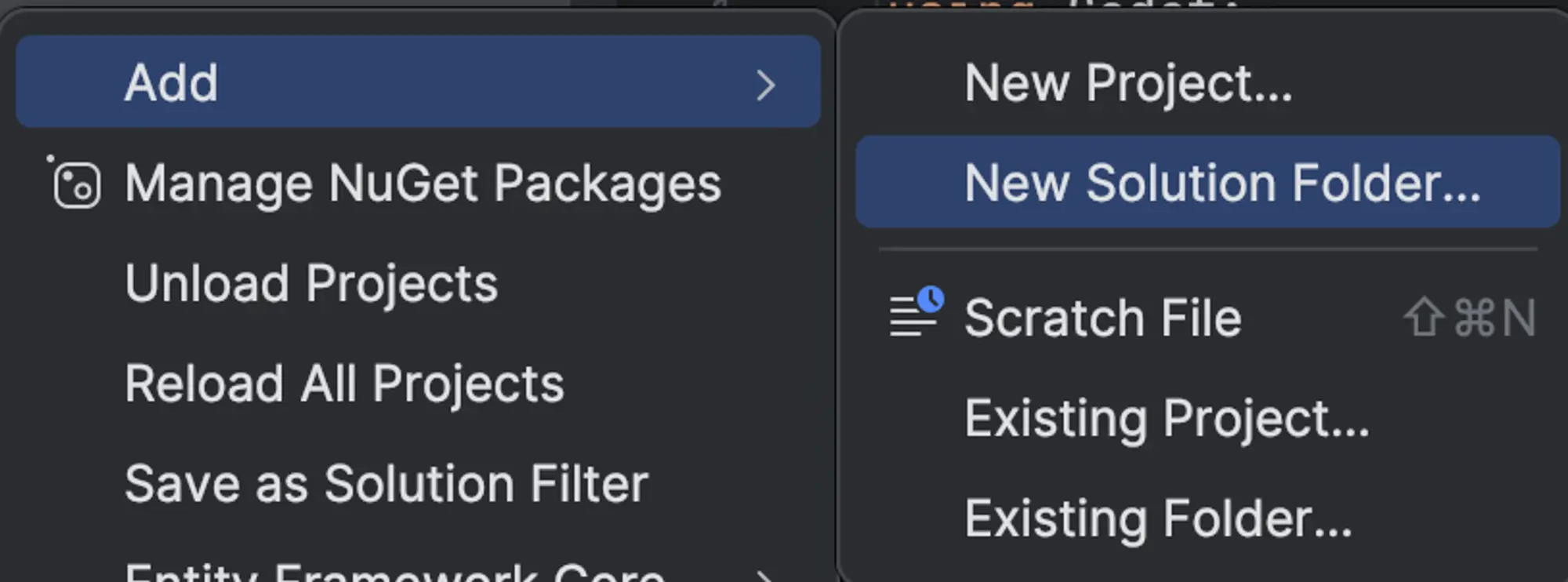 Creating Solution Folder
If you created them you should have something similar to:
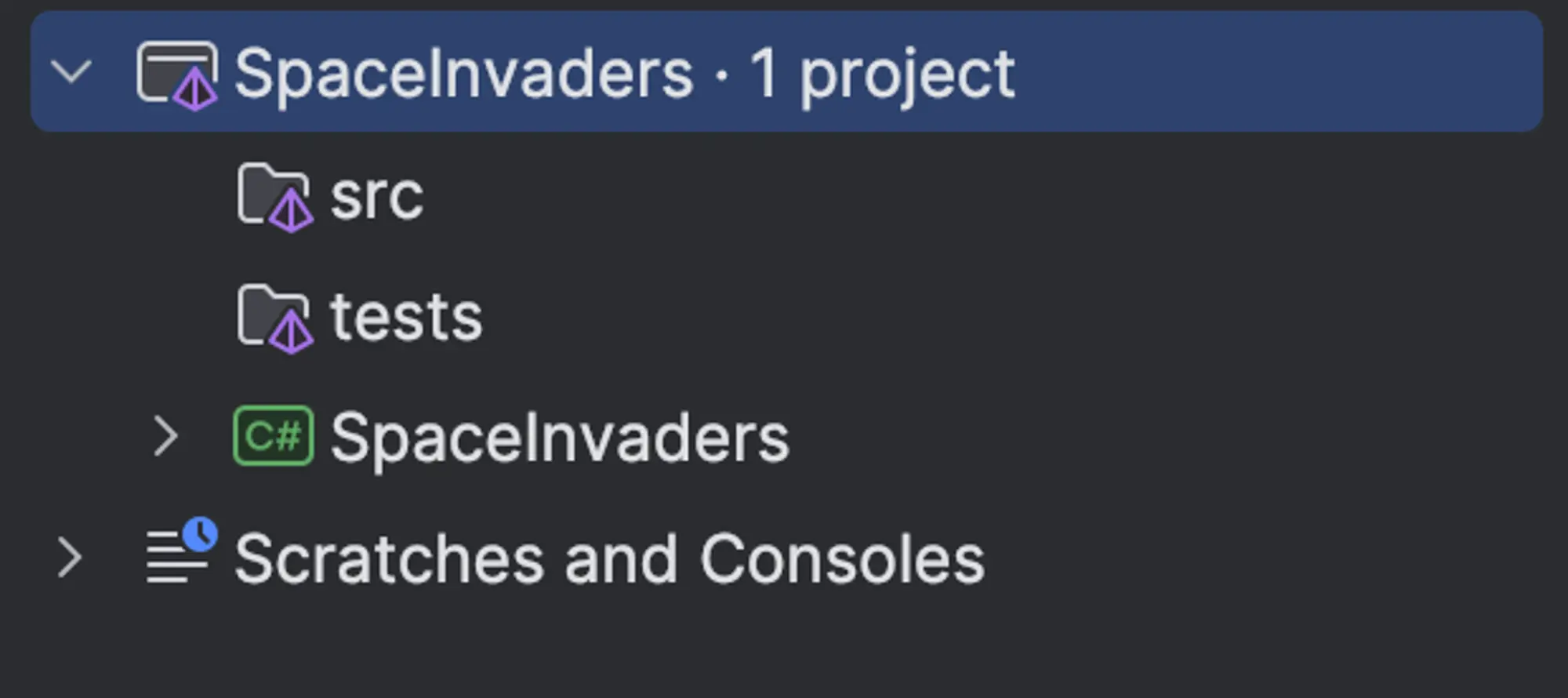 Created solution folders
5. Add SpaceInvaders into src solution folder
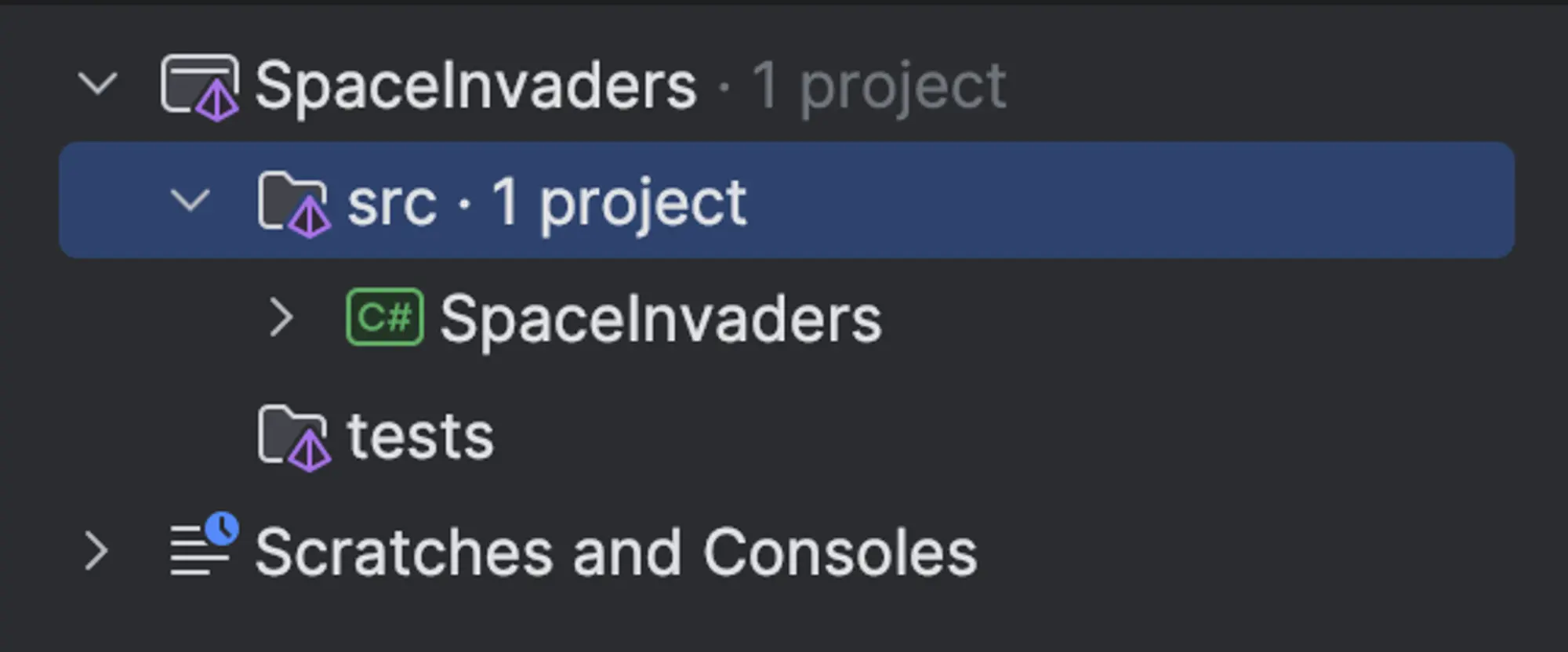 Result of adding SpaceInvaders into src
With this, you have a proper setup for your multi-project Godot game.
How to add other projects?
Adding another projects is quite easy, I will create a new project called Core inside the src solution folder.
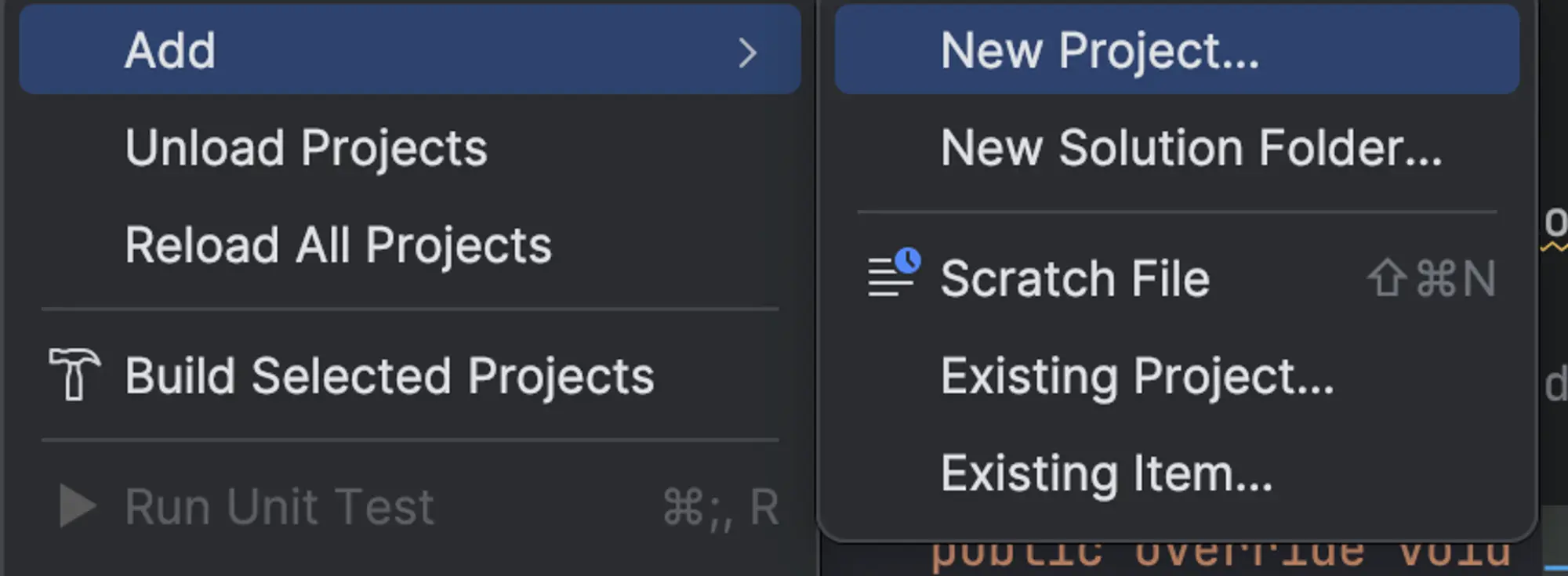 Creating new project
It will be a simple class library with project directory set to SpaceInvaders/src/ . Make sure to not create a project inside SpaceInvaders/src/SpaceInvaders
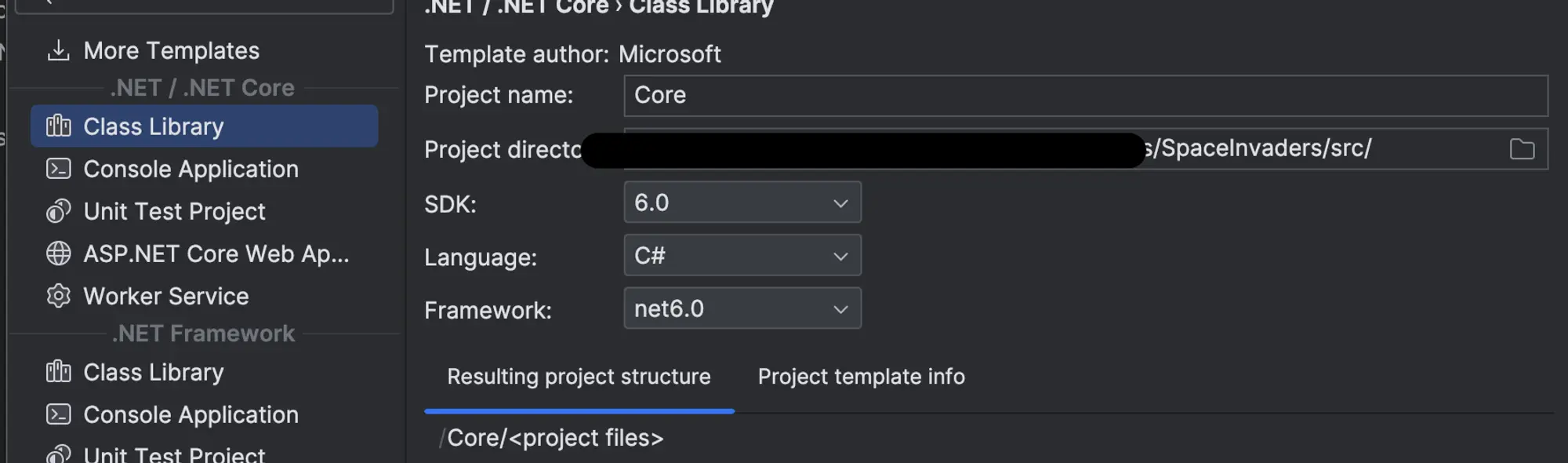 Creating class library
Inside of Core, project let’s create an interface called ILogger and a class ExampleClass.
ILogger will have the following code:
namespace Core;

public interface ILogger
{
    void LogInfo(string s);
}
And now lets edit our ExampleClass:
namespace Core;

public class ExampleClass
{
    private readonly ILogger mLogger;

    public ExampleClass(ILogger logger)
    {
        mLogger = logger;
    }

    public void SayHello()
    {
        mLogger.LogInfo("Hello world!");
    }
}
Inside our SpaceInvader project let’s create a new class called GDLogger that implements ILogger interface
public class GDLogger : ILogger
{
}
You might see that ILogger is not found inside SpaceInvader, we can fix it by referencing Core in SpaceInvaders project. The most convenient way is using IDE quick fix command which will automatically add a proper reference inside SpaceInvaders.csproj
You can view csproj by right clicking on SpaceInvaders and inside Edit you will find Edit SpaceInvaders.csproj
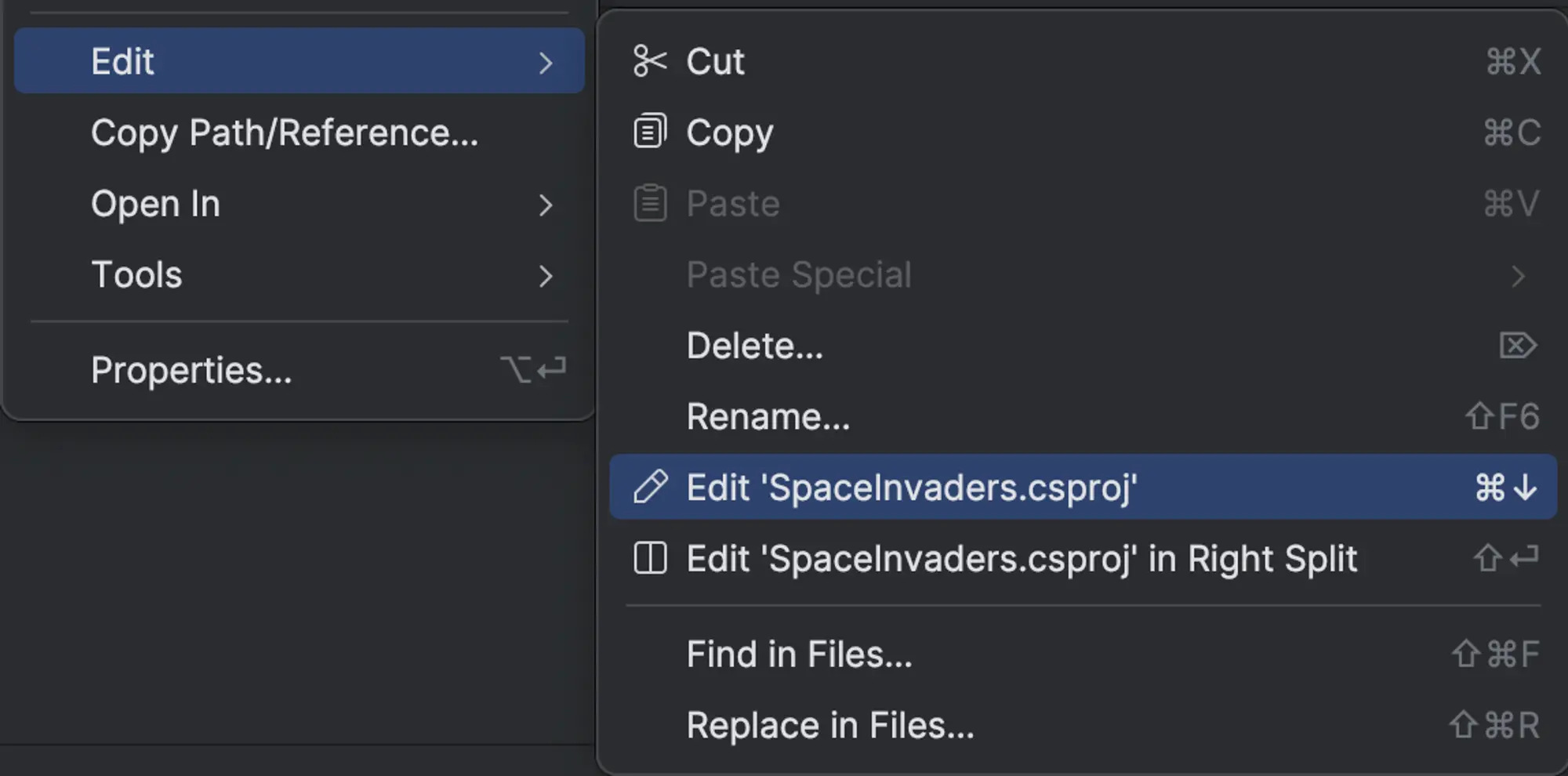 Editing SpaceInvaders.csproj
It should now have the following content:
<Project Sdk="Godot.NET.Sdk/4.2.1">
    <PropertyGroup>
        <TargetFramework>net6.0</TargetFramework>
        <TargetFramework Condition=" '$(GodotTargetPlatform)' == 'android' ">net7.0</TargetFramework>
        <TargetFramework Condition=" '$(GodotTargetPlatform)' == 'ios' ">net8.0</TargetFramework>
        <EnableDynamicLoading>true</EnableDynamicLoading>
    </PropertyGroup>
    <ItemGroup>
		<!-- This is our reference to the Core project,
		 as you can see it uses relative path to reference the project. -->
        <ProjectReference Include="..\Core\Core.csproj"/>
    </ItemGroup>
</Project>
With proper reference assigned now you can implement GDLogger class:
using Core;
using Godot;

namespace SpaceInvaders.Code;

public class GDLogger : ILogger
{
    public void LogInfo(string s)
    {
        GD.Print(s);
    }
}
Inside HelloWorldNode.cs lets use everything we have created so far
using Core;
using Godot;
using SpaceInvaders.Code;

public partial class HelloWorldNode : Node
{
    public override void _Ready()
    {
		// Create our example class, and pass new gdlogger object into it
        ExampleClass exampleClass = new ExampleClass(new GDLogger());
        // call its SayHello method
        exampleClass.SayHello();
    }
}
If we build the project and assign the HelloWorldNode to some scene node and run the application we will get the following result and our log console will properly print Hello World!:
 Result of our code
Important caveats with multiple projects in Godot
It is important to note that YOU SHOULD NOT CREATE GODOTS PARTIAL CLASSES OUTSIDE OF GODOT .CSPROJ
I have been having very hard time when I was creating them outside of Godots designated .csproj. As I understand, godot does its own class registration during builds and it happens only inside Godot project and with its classes.
It is also important to have proper project configuration in your non-godot csproj. if you will look into SpaceInvader.csproj configuration you will see the following:
<Project Sdk="Godot.NET.Sdk/4.2.1">
    <PropertyGroup>
        <TargetFramework>net6.0</TargetFramework>
        <TargetFramework Condition=" '$(GodotTargetPlatform)' == 'android' ">net7.0</TargetFramework>
        <TargetFramework Condition=" '$(GodotTargetPlatform)' == 'ios' ">net8.0</TargetFramework>
        <EnableDynamicLoading>true</EnableDynamicLoading>
    </PropertyGroup>
</Project>
But inside our Core.csproj we have the following:
<Project Sdk="Microsoft.NET.Sdk">

    <PropertyGroup>
        <TargetFramework>net6.0</TargetFramework>
        // No target frameworks for android and ios
        <ImplicitUsings>enable</ImplicitUsings>
        <Nullable>enable</Nullable>
    </PropertyGroup>

</Project>
So, for your project to build properly, you will have to add missing TargetFrameworks inside Core.csproj:
<Project Sdk="Microsoft.NET.Sdk">

    <PropertyGroup>
        <TargetFramework>net6.0</TargetFramework>
        // adding TargetFramework for android or ios
        <TargetFramework Condition=" '$(GodotTargetPlatform)' == 'android' ">net7.0</TargetFramework>
        <TargetFramework Condition=" '$(GodotTargetPlatform)' == 'ios' ">net8.0</TargetFramework>
        <ImplicitUsings>enable</ImplicitUsings>
        <Nullable>enable</Nullable>
    </PropertyGroup>

</Project>
With this you are now ready to use multiple csproj inside your Godot projects.
Liked what you read? Don't forget to upvote!

Indie developer & author of this blog. I worked in game dev studio before, and launched many games. My main focuses are core gameplay mechanics and project infrastructure management.

Download our latest game