
Do not release your games without these tools!
Learn more about tools that will make post-launch maintenance easy
You have completed the development of your game and now ready to release it. There are common pitfalls that some people do not consider during the development, and pay hefty price for it later.
I advice to at least have following tools/services integrated into your games:
- Analytics
- Error tracking
In this article we will explore their use-cases, and my personal recommendations.
What is the best analytics tool for games?
It's essential to gather metrics from your users in your projects. This could include session duration, time taken to complete a level, whether they can finish the level, points earned, and commonly used items. Such data will aid you in improving your game and making informed decisions.
There are several popular analytics providers, sometimes companies use several of them in tandem:
- Google Analytics GA4 - free and easy to integrate, de facto standard of analytics software
- Firebase - if you are developing for mobile, firebase integration at the beginning will play crucial role further down the road. It has analytics tools, data storage tools and marketing tools, which are helpful for any game and application
- Game Analytics - same thing as google analytics but more focused on games, has pricing and tiering check them out.
But integrating analytics is only a part of your project. You have to ensure that you gather correct data which might be useful later, and you can create proper reports from the data.
What kind of data should you collect from your games?
The data that you collect varies from game to game. But you should at least collect following data:
- Basic metrics - how much time players spend in your game, what screens or with what do they interact.
- Game progress - whenever player changes the level or progresses through you game, this data should be stored.
- Conversion events - in game shop events, what were they looking for, what did they buy, etc. Everything that you think generates value important should be here
What is the best error tracking tool for games?
I can't even fathom how you can deploy your game without error tracking. You need systems for reporting errors and crashes, as these will often lead to a bad user experience and negative reviews. Finding the root causes of these problems quickly and reliably fixing them will save you many times over.
Consider the following example, your game has a procedural level generation system, during the local development you haven’t found any problems with it, and released your game. Turns out after reaching the level 25 your systems starts crashing, who knows what might be the cause of it, and where is it happening. Incorrect parameters? Some typo in the algorithm? Or is it something more complex?
These problems without error tracking are very time consuming to debug and reproduce. Furthermore good error tracking software will help you quickly identify the line number, file name, and which parameters caused the crash
There are many tools for that, but here are my favorites:
- Sentry - my favorite tool, reliable and easy to integrate, also offers a lot features. If you want to, you can self host it on your own servers. Has really good integration with Unity
- Crashlytics - if you are developing for mobile, part of the firebase integration suite
Let's have a look at what I am saying. This is sample error from Sentry:
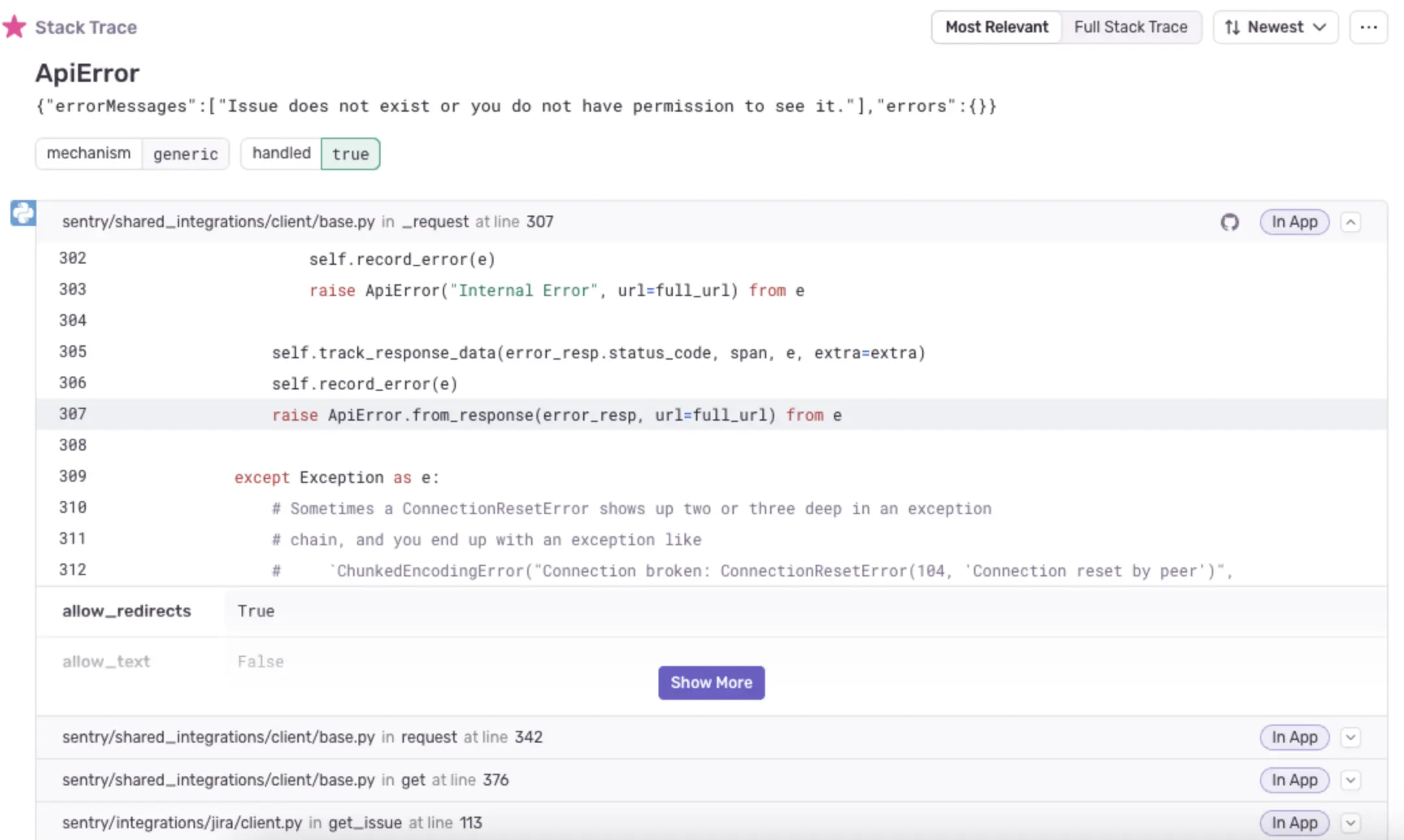 Error sample from sentry
As you can see, it shows the line number, and what kind of error was thrown. It will also contain additional meta information about the context in which error was thrown.
For example, it will contain information about what OS, shader model, and what kind of arguments caused the error.
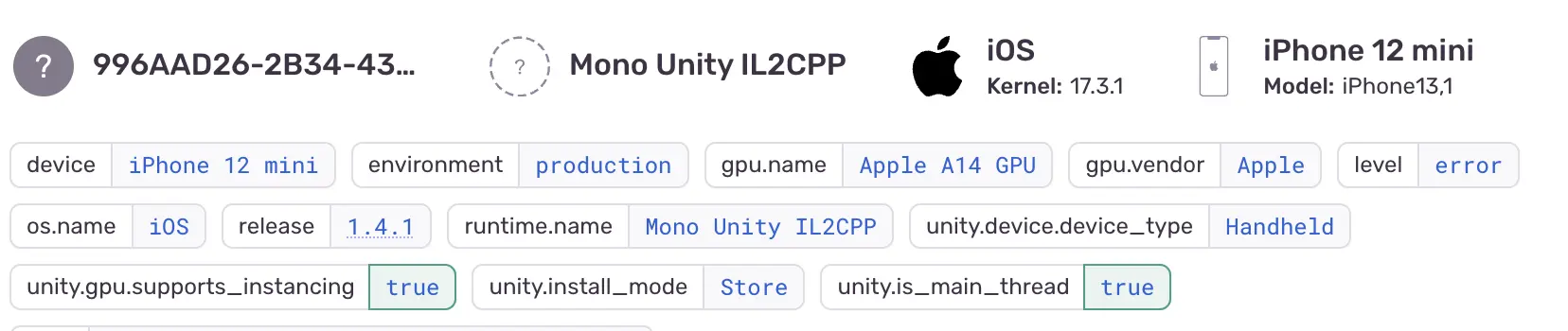 Sentry example meta information
Sentry in Unity also works with IL2CPP without problems, and it automatically uploads debug symbols after build is completed.
What is the best error tracking tool for Godot?
Godot 3 with C# has very convenient integration for sentry, so I recommend using it. Download the sentry nuget package and just initialize it with:
// might be some global script or some sort of singleton
SentrySdk.Init(opts => { opts.Dsn = "<sentry dsn url>"; });

GD.UnhandledException += (sender, args) => {
    if (SentrySdk.IsEnabled) {
        SentrySdk.CaptureException(args.Exception);
    }
};
And you should be good to go.
Godot 4 has official sentry support available here:

Liked what you read? Don't forget to upvote!

Indie developer & author of this blog. I worked in game dev studio before, and launched many games. My main focuses are core gameplay mechanics and project infrastructure management.

Download our latest game


Read next
