Stylized Toon/Cel Shaders in Godot: Part 2
Stylized shadows and texture maps.
In the last tutorial, we created a custom toon/cel shader, achieving the following result:
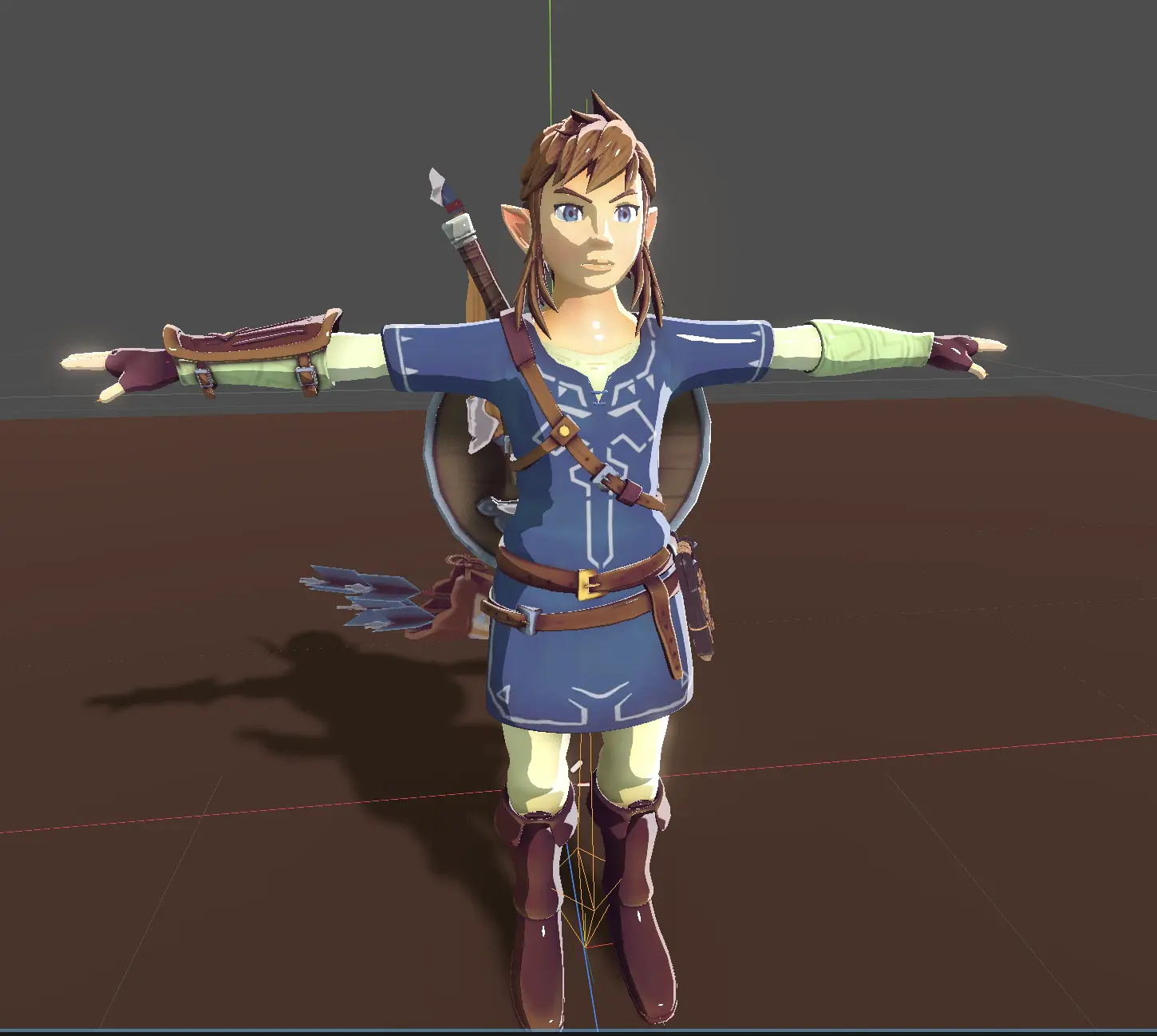 Link with custom toon shader from the previous tutorial
If you haven't read it yet, here is the link:

In this tutorial we will add finishing touches to our shader.
How to receive shadows from other models with custom shaders in Godot?
Right now if we place some mesh in front of our model it will not receive shadows. Which looks kinda weird:
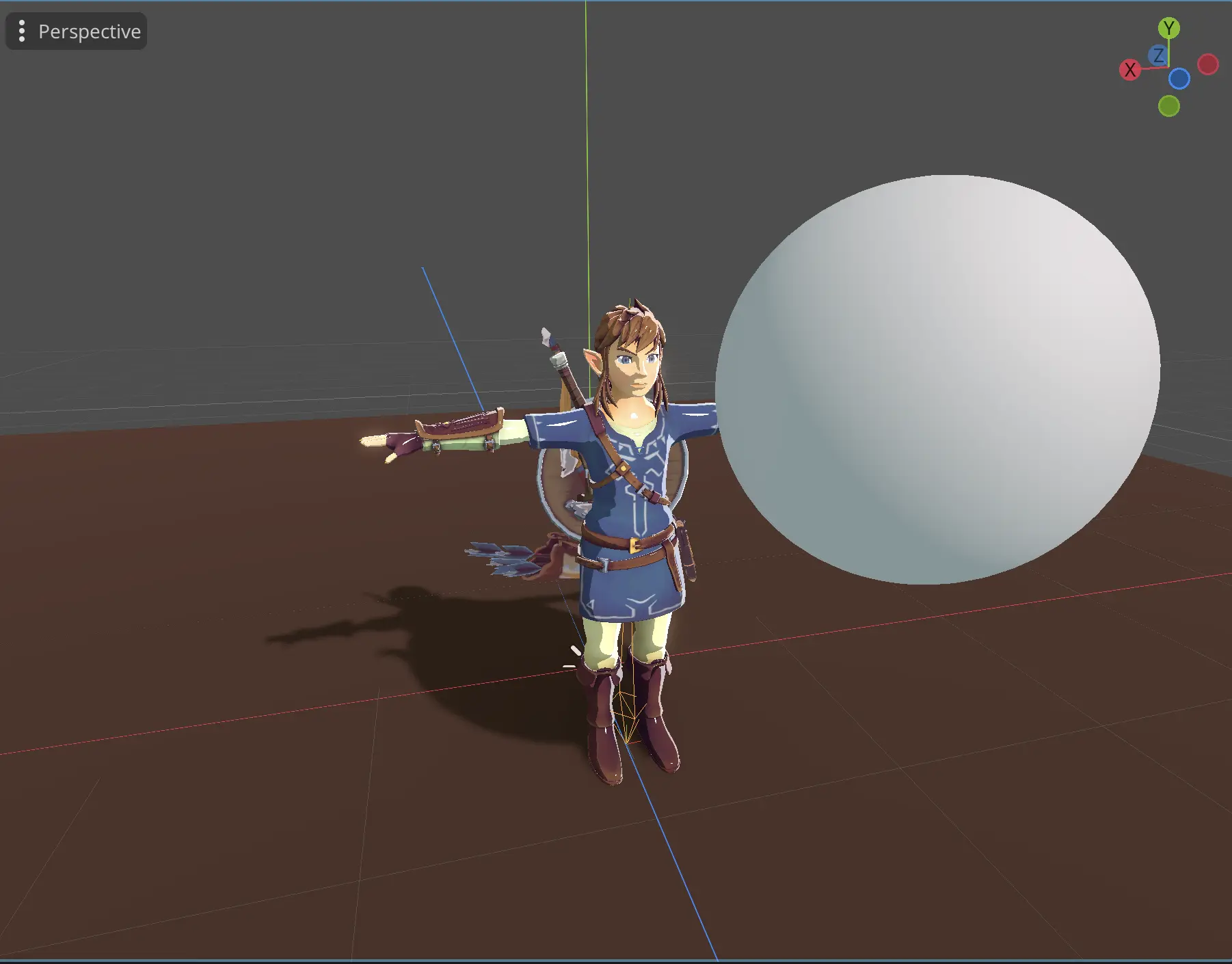 Link with mesh in front of it
To fix it, we will use ATTENUATION when calculating DIFFUSE_LIGHT
void light(){
	float nDotL = clamp(dot(NORMAL, LIGHT), 0.0, 1.0);
	nDotL = smoothstep(0.39, 0.4, nDotL);

	vec3 addedCam = normalize(VIEW + LIGHT);
	float vDotL = clamp(dot(NORMAL, addedCam), 0.0, 1.0);
	vDotL = pow(vDotL, 120);
	vDotL = smoothstep(0.8, 0.81, vDotL);

	float rimLight = clamp(dot(NORMAL, VIEW), 0.0, 1.0);
	rimLight = pow(1.0 - rimLight, 5) * nDotL;
	rimLight = smoothstep(0.04, 0.05, rimLight) * 0.5;

	vec3 result = vec3(nDotL) + rimLight;
    // We will add it here
	DIFFUSE_LIGHT += result * ATTENUATION;
	SPECULAR_LIGHT += vec3(vDotL) + rimLight;
}
Now with attenuation, we should receive shadows from other models:
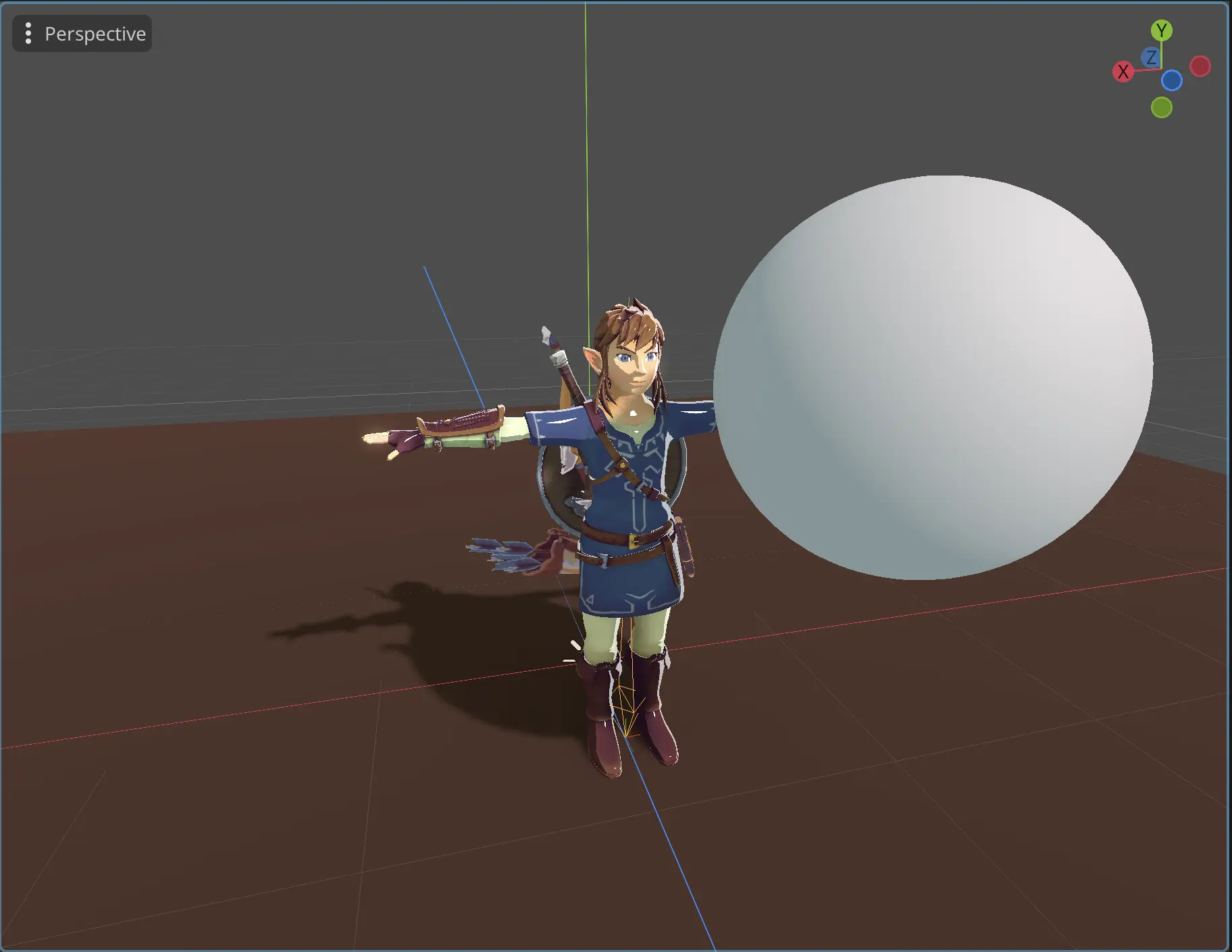 Shader receives shadows
Currently, our specular highlights ignore shadows cast by other models. To address this, we'll incorporate ATTENUATION into our specular highlight calculations.
void light(){
	float nDotL = clamp(dot(NORMAL, LIGHT), 0.0, 1.0);
	nDotL = smoothstep(0.39, 0.4, nDotL);

	vec3 addedCam = normalize(VIEW + LIGHT);
	float vDotL = clamp(dot(NORMAL, addedCam), 0.0, 1.0);
	// We added attenuation here
    vDotL = pow(vDotL * ATTENUATION, 120);
	vDotL = smoothstep(0.8, 0.81, vDotL);

	float rimLight = clamp(dot(NORMAL, VIEW), 0.0, 1.0);
	rimLight = pow(1.0 - rimLight, 5) * nDotL;
	rimLight = smoothstep(0.04, 0.05, rimLight) * 0.5;

	vec3 result = vec3(nDotL) + rimLight;
	DIFFUSE_LIGHT += result * ATTENUATION;
	SPECULAR_LIGHT += vec3(vDotL) + rimLight;
}
Now it should look like that:
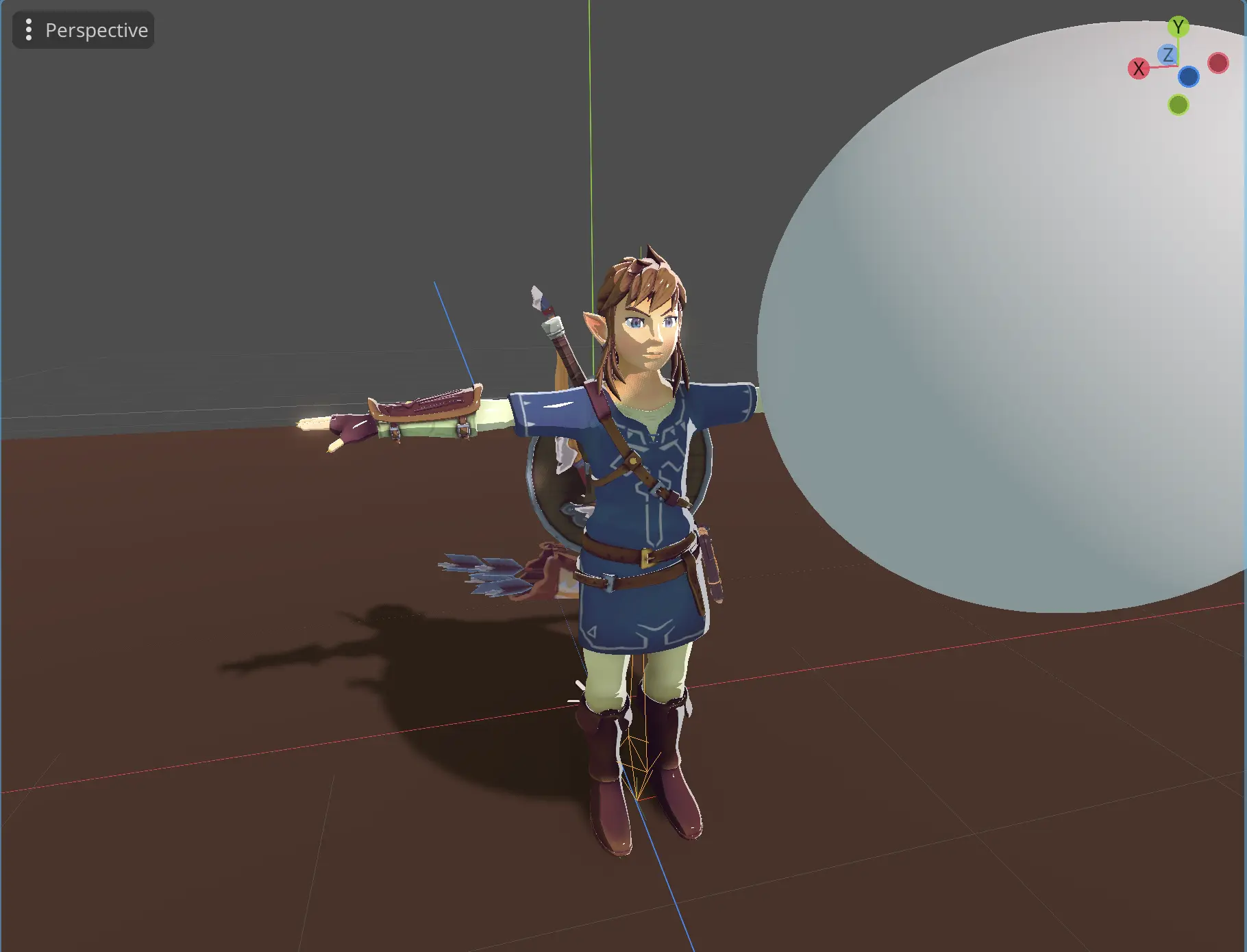 Shader with attenuation affecting specular highlights
With this, our shader takes into account shadows cast by other models.
How to add stylized shadows into toon shader in Godot?
In the Legend of Zelda BOTW, characters also have stylized shadows. Our current implementation, however, only receives soft shadows. To achieve stylized effect, we can use smoothstepATTENUATION
void light(){
    // our stylized attenuation
	float attenuation = smoothstep(0.2, 0.25, ATTENUATION);
	float nDotL = clamp(dot(NORMAL, LIGHT), 0.0, 1.0);
	nDotL = smoothstep(0.39, 0.4, nDotL);

	vec3 addedCam = normalize(VIEW + LIGHT);
	float vDotL = clamp(dot(NORMAL, addedCam), 0.0, 1.0);
     // using custom attenuation for specular highlights
	vDotL = pow(vDotL * attenuation, 120);
	vDotL = smoothstep(0.8, 0.81, vDotL);

	float rimLight = clamp(dot(NORMAL, VIEW), 0.0, 1.0);
	rimLight = pow(1.0 - rimLight, 5) * nDotL;
	rimLight = smoothstep(0.04, 0.05, rimLight) * 0.5;

	vec3 result = vec3(nDotL) + rimLight;
    // using it instead of the default ATTENUATION
	DIFFUSE_LIGHT += result * attenuation;
	SPECULAR_LIGHT += vec3(vDotL) + rimLight;
}
With smoothstep on ATTENUATION we will get sharper shadows like this:
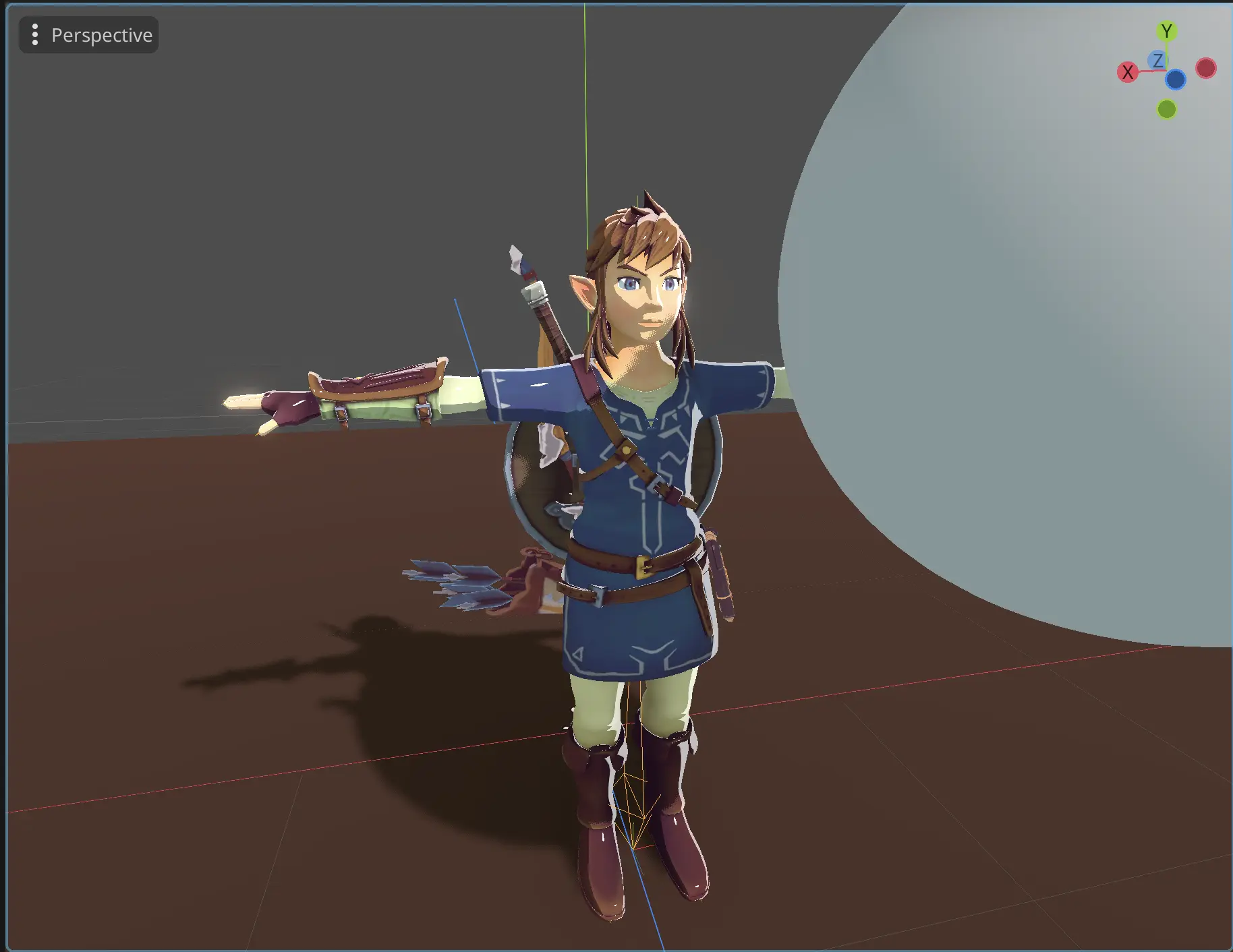 Adding stylization to attenuation
ATTENUATION can also be applied to rim lights, but the visual effect is subjective. I'll include it here for this demonstration:
void light(){
	float attenuation = smoothstep(0.2, 0.25, ATTENUATION);
	float nDotL = clamp(dot(NORMAL, LIGHT), 0.0, 1.0);
	nDotL = smoothstep(0.39, 0.4, nDotL);

	vec3 addedCam = normalize(VIEW + LIGHT);
	float vDotL = clamp(dot(NORMAL, addedCam), 0.0, 1.0);
	vDotL = pow(vDotL * attenuation, 120);
	vDotL = smoothstep(0.8, 0.81, vDotL);

	float rimLight = clamp(dot(NORMAL, VIEW), 0.0, 1.0);
    // I used max here because I want it to have small rim lights
    // even when its fully shadowed
	rimLight = pow(1.0 - rimLight, 5) * nDotL * max(ATTENUATION, 0.2);
	rimLight = smoothstep(0.04, 0.05, rimLight) * 0.5;

	vec3 result = vec3(nDotL) + rimLight;
	DIFFUSE_LIGHT += result * attenuation;
	SPECULAR_LIGHT += vec3(vDotL) + rimLight;
}
Here is the end result:
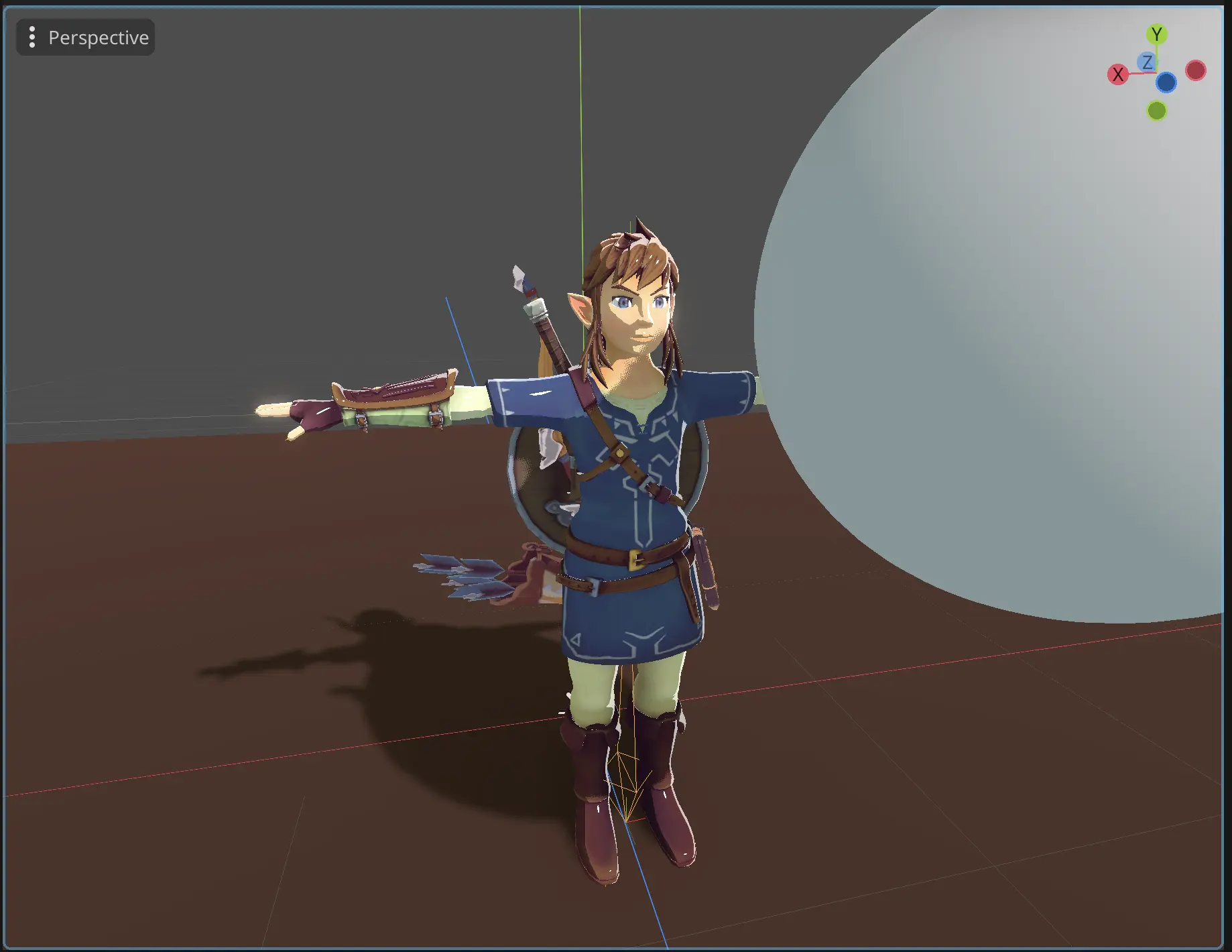 Using attenuation with our rim lights
I think it is also a good idea to have cel shading in parts of the model that are shadowed. It makes the model look more stylized and interesting, so lets add some limits to the attenuation value.
void light(){
    // we will add max here, so it won't reach 0
	float attenuation = max(smoothstep(0.2, 0.25, ATTENUATION), 0.3);
	float nDotL = clamp(dot(NORMAL, LIGHT), 0.0, 1.0);
	nDotL = smoothstep(0.39, 0.4, nDotL);

	vec3 addedCam = normalize(VIEW + LIGHT);
	float vDotL = clamp(dot(NORMAL, addedCam), 0.0, 1.0);
	vDotL = pow(vDotL * attenuation, 120);
	vDotL = smoothstep(0.8, 0.81, vDotL);

	float rimLight = clamp(dot(NORMAL, VIEW), 0.0, 1.0);
	rimLight = pow(1.0 - rimLight, 5) * nDotL * max(ATTENUATION, 0.3);
	rimLight = smoothstep(0.04, 0.05, rimLight) * 0.5;

	vec3 result = vec3(nDotL) + rimLight;
	DIFFUSE_LIGHT += result * attenuation;
	SPECULAR_LIGHT += vec3(vDotL) + rimLight;
}
And we will have the following result:
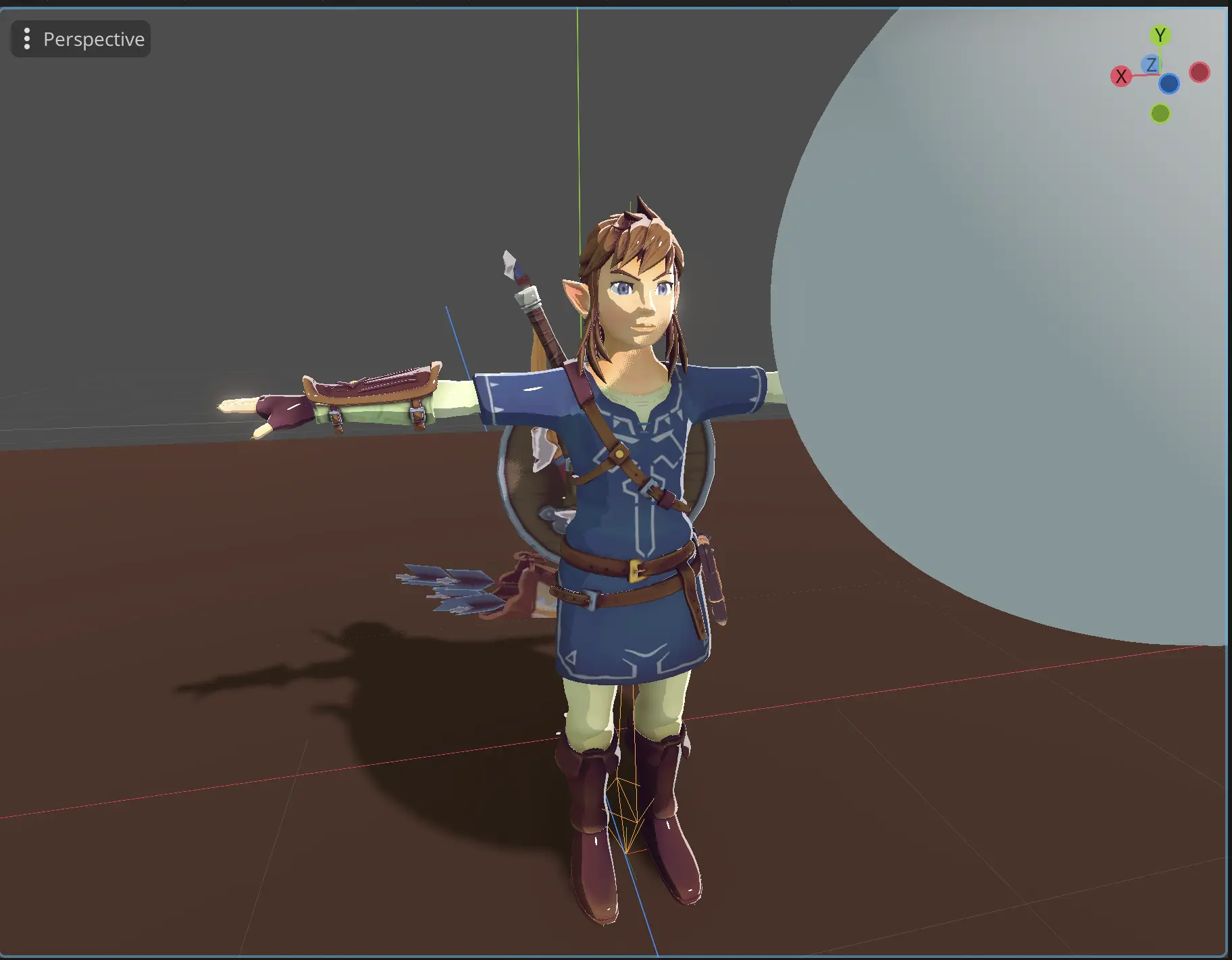 Small shading in shadowed parts of the model
Notice small cel shading in shadowed parts
How to properly control specular highlights in Godot?
Next we will add specular maps to control which parts of the model should have specular lights. To do that we will declare a texture and use it in our shader code.
// declare the new texture at the top of our shader
uniform sampler2D specularTex: hint_default_black;
Then use it inside our light function:
void light(){
	float attenuation = max(smoothstep(0.2, 0.25, ATTENUATION), 0.2);
	float nDotL = clamp(dot(NORMAL, LIGHT), 0.0, 1.0);
	nDotL = smoothstep(0.39, 0.4, nDotL);

	vec3 addedCam = normalize(VIEW + LIGHT);
    // we will use specular maps here
	float vDotL = clamp(dot(NORMAL, addedCam), 0.0, 1.0) * texture(specularTex, UV).r;
	vDotL = pow(vDotL * attenuation, 120);
	vDotL = smoothstep(0.7, 0.75, vDotL);

	float rimLight = clamp(dot(NORMAL, VIEW), 0.0, 1.0);
	rimLight = pow(1.0 - rimLight, 5) * nDotL * max(ATTENUATION, 0.3);
	rimLight = smoothstep(0.04, 0.05, rimLight) * 0.5 ;

	vec3 result = vec3(nDotL) + rimLight;
	DIFFUSE_LIGHT += result * attenuation;
	SPECULAR_LIGHT += vec3(vDotL) + rimLight;
}
With maps set, we can remove parts that should not have specular lights, and achieve the following result:
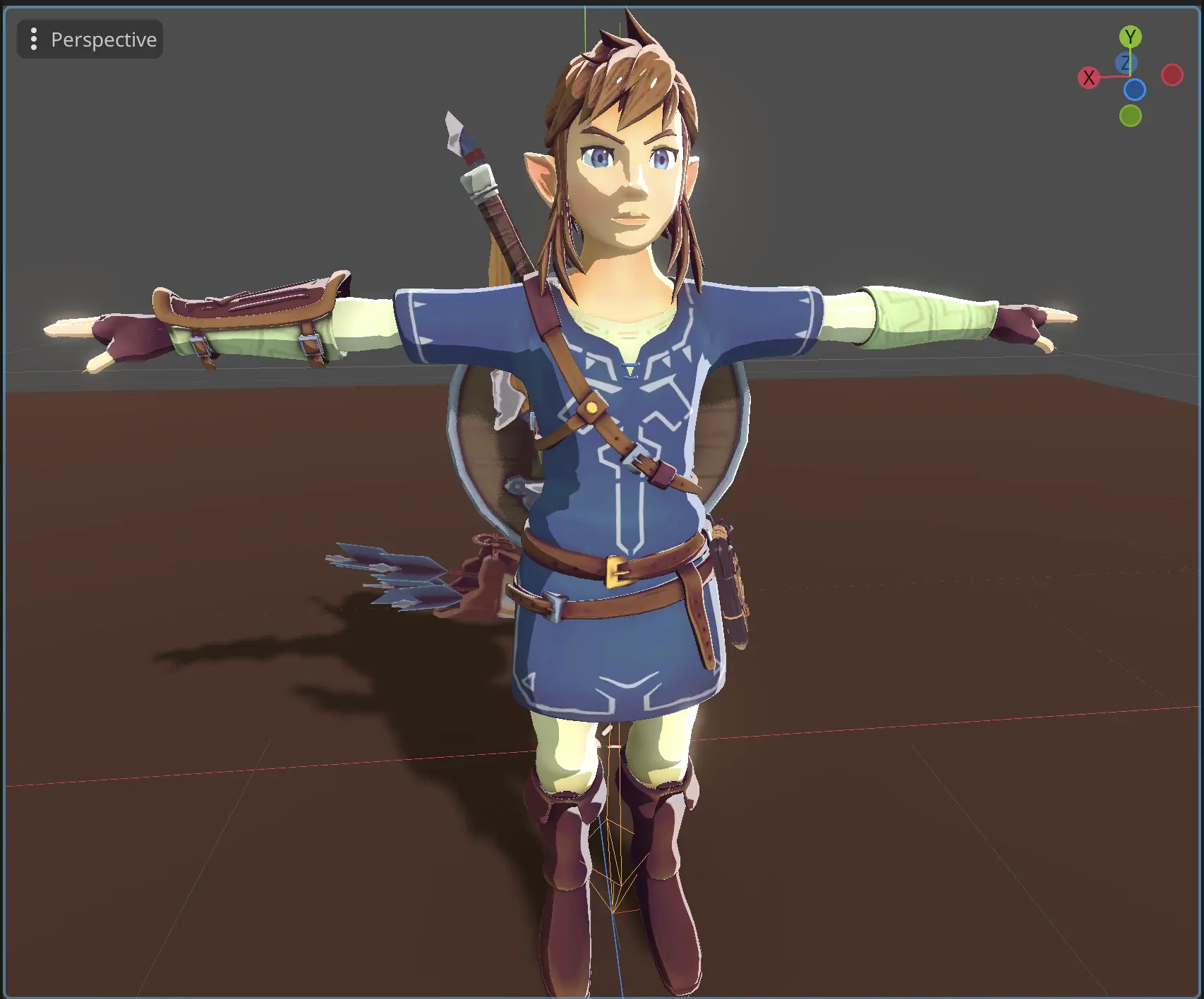
As you can see, specular highlights disappeared from the clothes, I made a very rough specular map, because the original model didn't have one. Here is the map that I created:
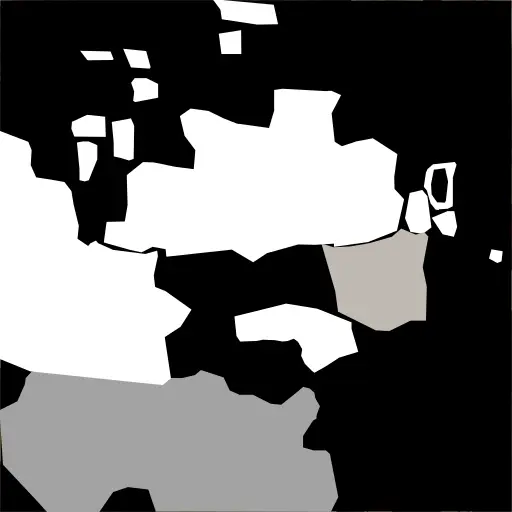 Specular for the model
With this our BOTW like shader is done. The code needs a bit of cleaning, and better controls with exposed variables inside the editor, but I will leave it up to you.
Liked what you read? Don't forget to upvote!

Indie developer & author of this blog. I worked in game dev studio before, and launched many games. My main focuses are core gameplay mechanics and project infrastructure management.

Download our latest game